 GOTCHA CAT
Spot the difference calendar: tap a day to see its cases, solved cases get a stamp
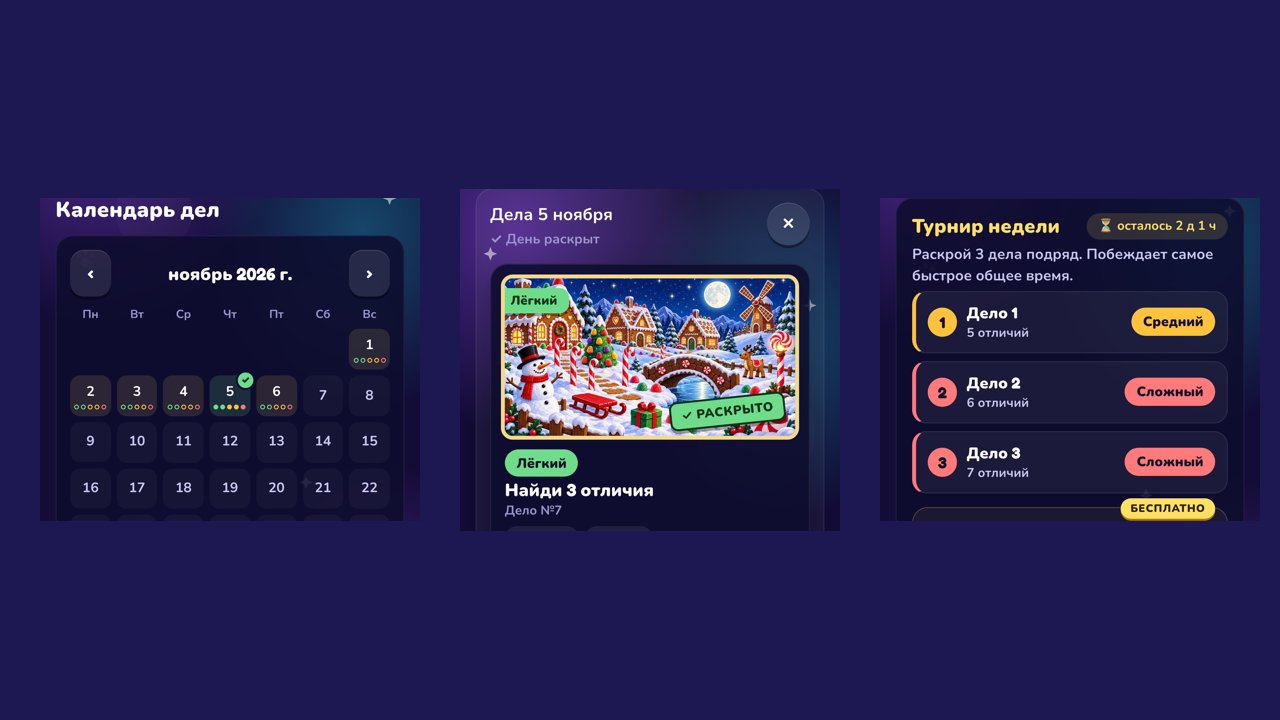
Tapping a day in the case calendar now opens that day's cases right under the calendar. Each level has its own colour everywhere, solved cases get a green Solved stamp, and the weekly tournament explains itself in one line.
Better
- Tap a day in the calendar: its cases open right below it, with how many are solved.
- The dots under each day show the level colour of every case and fill in when the case is solved; a fully solved day gets a check mark.
- Solved cases carry a green Solved stamp, and the result screen says Case solved!
- Each level keeps one colour everywhere: Kids blue, Easy green, Medium yellow, Hard red, Expert purple. The level filters show it too.
- Weekly tournament: one line on how it works, and the three cases are listed top to bottom.
Fixed
- Tapping a calendar day no longer seems to do nothing.
- The tournament start button no longer shows a stray dot.
- The Did you know? note is gone from the result screen, so the next step is easier to see.